5G internet, done right.

We're FenixStar Tech. We hand-build outdoor and indoor 5G home internet modems in the USA on the Qualcomm Snapdragon X75, flash them with our own firmware and set each one up before it ships. It arrives ready for your SIM and your router. Building your own? We sell every part.

Home internet over 5G, ready when it arrives.

A FenixStar modem turns a cellular data plan into internet for your whole home. We build each one by hand, flash it with our firmware and configure it before it ships, so setup takes three steps.

  1. Step 1: Get a SIM.

    You need a SIM card and a data plan from a carrier. No SIM is included.

  2. Step 2: Put it in place.

    Mount the outdoor modem on a pole, or set the indoor modem on a shelf.

  3. Step 3: Plug in your router.

    One Ethernet cable to your Wi-Fi router brings the connection to every device in your home.

Up to 3.5× the download of generic modems.

Our builds use a 5G modem built on Qualcomm's Snapdragon X75.

Peak download

Our buildsBased on Snapdragon X75
7.01 Gbps
Generic modemsBased on a generic 5G module
2 Gbps

Peak upload

Our buildsBased on Snapdragon X75
1.25 Gbps
Generic modemsBased on a generic 5G module
1 Gbps
5G standalone. Theoretical peak rates from the module maker's product brochure; real-world speed depends on your carrier, your plan and your signal.

Two builds, ready to use.

Outdoor 5G modem

Price: $550

Best for rural homes, and anywhere the signal is weak indoors.

How it connects: the modem is mounted outside your home and picks up the cell tower's 5G signal. One cable carries power and data inside to your router, which shares the connection over Wi-Fi with your devices.
  • A stronger signal.

    Mounted outside, it sits clear of the walls and windows that weaken cellular signal.

  • Antennas built in.

    The modem and its antennas share one weather-ready enclosure.

  • One cable into the house.

    A single Ethernet cable carries both power and data (PoE).

Indoor 5G modem

Price: $450

Best for homes that already get a good signal inside.

How it connects: the modem sits inside your home and picks up the cell tower's 5G signal through the wall. An Ethernet cable connects it to your router, which shares the connection over Wi-Fi with your devices.
  • Nothing to mount.

    It sits on a desk or a shelf, next to your router.

  • Plugs straight into your router.

    One Ethernet cable connects it, like any other modem.

  • Your choice of power.

    A PoE adapter or a DC adapter with a US plug, or both for $6 more.

Outdoor or indoor?

Both run the same modem, firmware and software. The difference is where it goes: outside, where the signal is stronger, or inside, next to your router.

FeatureOutdoor$550Indoor$450
Snapdragon X75 5G modemYesYes
Our custom firmware and QManager, set up before it shipsYesYes
Mounts outside, clear of the walls that weaken signalYesNo
Antennas built into a weather-ready enclosureYesNo
Pole-mount bracket in the boxYesNo
Sits on a desk or shelf, nothing to mountNoYes
Power and data over one cable (passive PoE)YesYes
Also runs on 802.3af PoEYesNo
DC adapter option, US plugNoYes
Want to spend less? Either build is $100 less with a Snapdragon X62 modem in place of the X75.
Free US shipping. Every order ships from the USA. Standard UPS or USPS is free within the US, or pay the difference for faster service. International orders pay shipping and any import duties.

Build your own 5G modem.

Every part in our builds is sold on its own: the same modems, kits and power supplies we use. Pick one of each below to see your total, then order on Discord. Want a complete build to put together yourself? Ask for parts only and take $100 off the build price.

  1. Pick a modem

    It connects to the cell tower. Everything else houses and powers it.

  2. Pick a kit

    The housing and antennas the modem goes in.

  3. Pick power

    The indoor kit has no power supply. Pick one.

Snapdragon X75 (Custom firmware) + Indoor kit + DC power supply

Total: $422

Every build runs QManager.

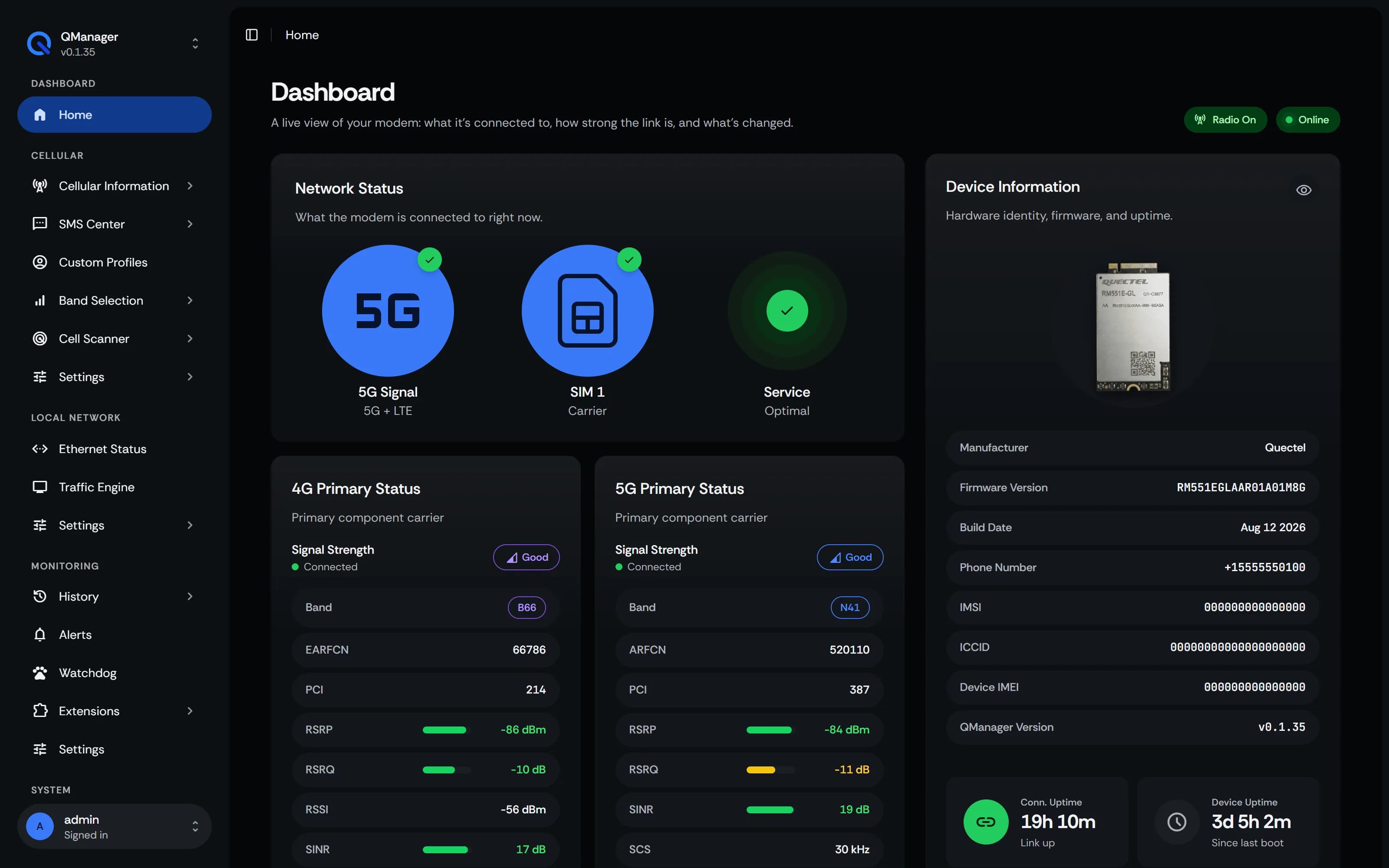
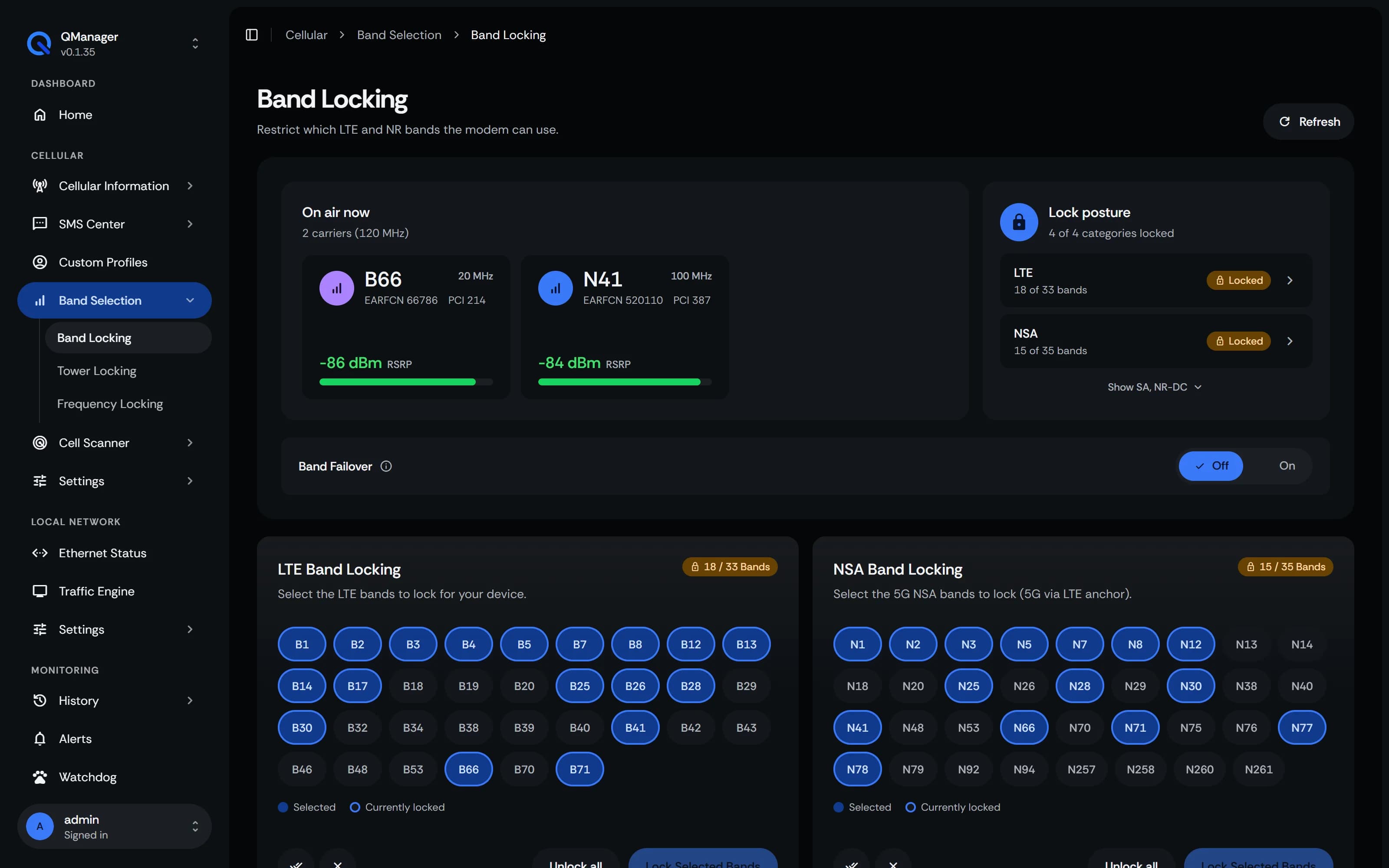
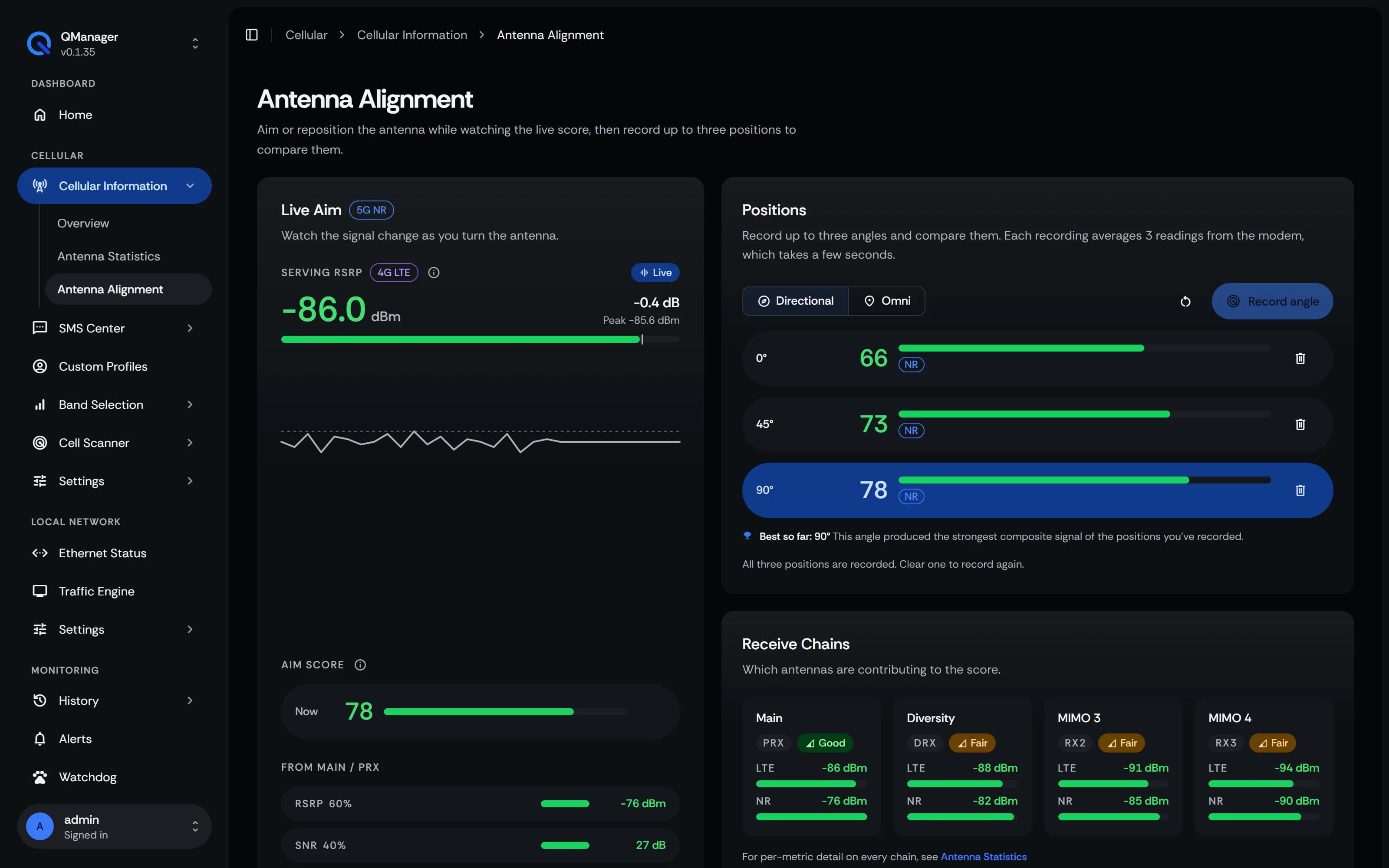
Hardware is half of a good modem; the other half is the software that runs it. QManager is our web interface for Quectel modems, and it comes on every build we sell. Open it in a browser on your network to watch your signal, lock bands and aim the antenna.

QManager's dashboard: network status, signal for the 4G and 5G carriers, and device information.
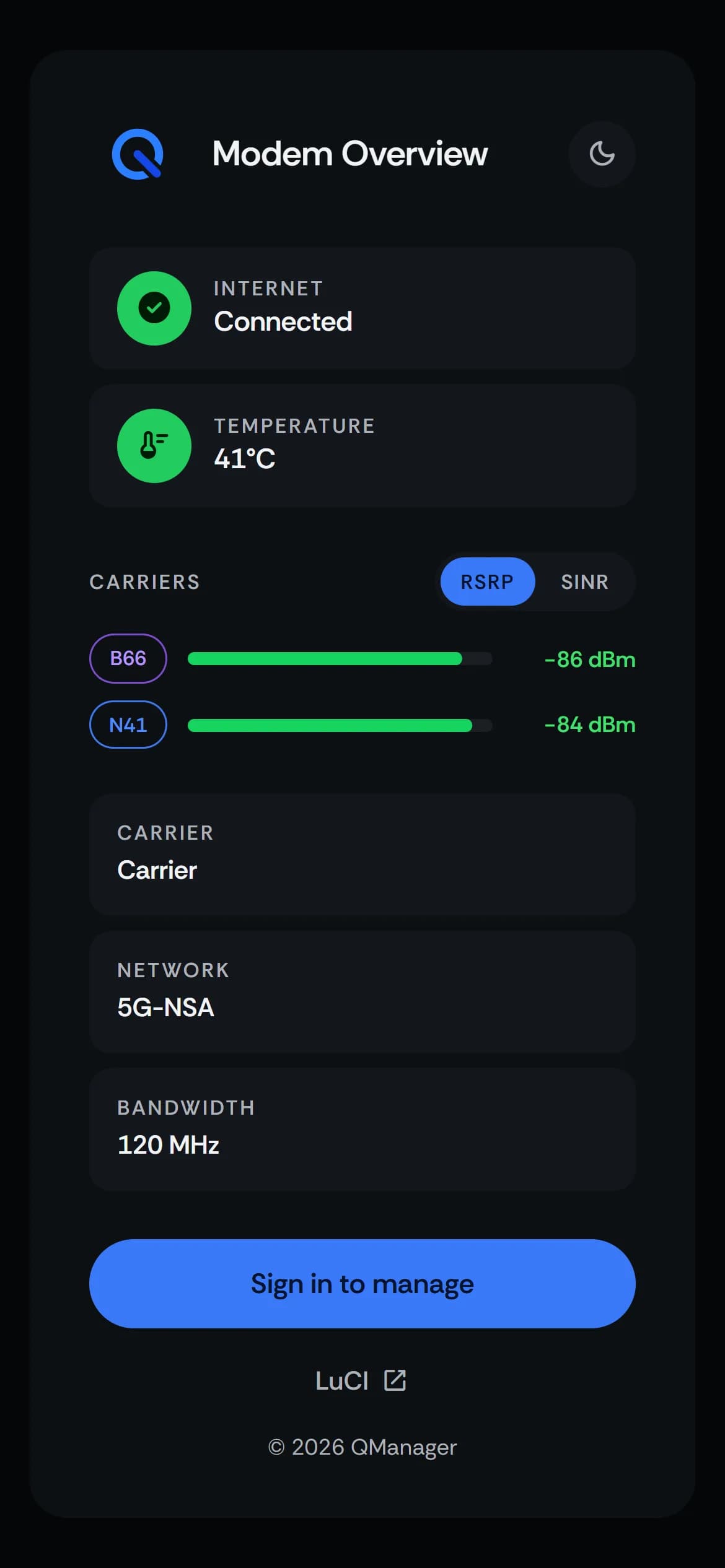
QManager's overview on a phone: internet connected, temperature, carrier band and signal.
Custom firmware. Every ready-built unit ships with our Full custom firmware, written by Cameron.
Source on GitHub. QManager is developed by Russel and runs on our Snapdragon X75 and X62 modems. Read the code (opens in a new tab)
Guides. Step-by-step QManager docs: installing, band locking, live signal, SMS and APN profiles. Read the docs (opens in a new tab)

The people behind FenixStar.

Order on Discord, or email us.

Orders and custom quotes go through a ticket on our Discord. For anything else, email us.